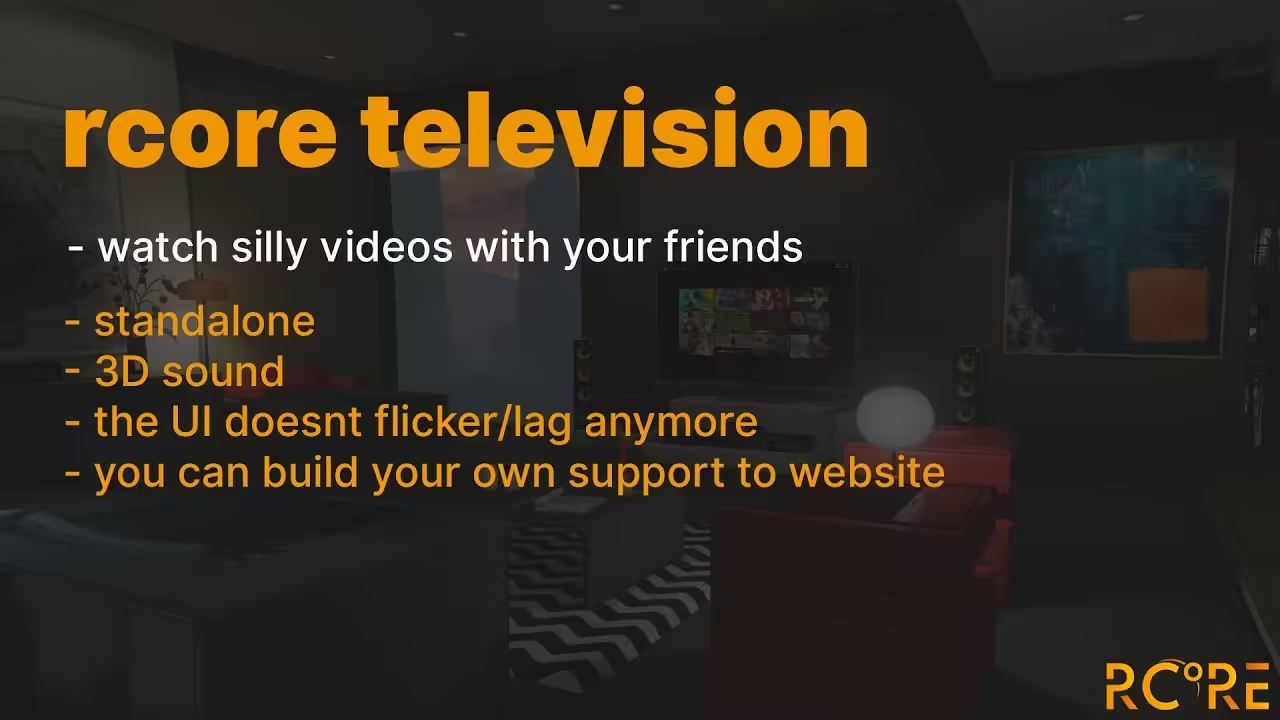
rcore Television synchronizes in-world TV screens across all nearby FiveM players. Configure channels per screen, set access rules, and deploy with ESX, QBCore, or standalone — no streaming service needed.
Common FiveM television resources either require a full streaming setup to function or only play video locally — what one player sees, nobody else does. rcore Television approaches the problem differently: playback is synchronized server-side, so everyone in range of a screen watches the same content at the same point in time without manual coordination.
How It Works
Screens are configured per-location. Each television instance can have its own channel, access rules, and control settings, meaning the TV in a bar plays differently from the one in a penthouse without any additional scripting. Players interact with screens via command or item trigger depending on your server’s setup — the framework bridge handles the handoff.
Server-synced playback — all nearby players see the same content simultaneously
Per-screen configuration: individual channels, access controls, and interaction triggers
Works out of the box after purchase — no complex deployment pipeline
ESX and QBCore bridges included; configurable for standalone use
Supports video URLs for custom channel programming
A synchronized television changes what is possible in social spaces. A sports bar can run a live stream that all patrons actually see. A security room can display camera feeds or roleplay-appropriate CCTV footage. Player housing interiors with televisions stop being static props and become active parts of the scene. The per-screen control layer means each location behaves independently without needing separate resource instances running in parallel.
Setup and Compatibility
rcore Television is configured to work immediately after purchase and delivery to your CFX keymaster. The framework integration layer covers ESX and QBCore natively, with the config file exposing the key parameters — screen coordinates, interaction distances, and channel assignments — that most servers will need to adjust. No external streaming service or additional dependency is required beyond the core resource.
Where It Fits
If your server has bars, clubs, apartments, or any interior space where a television prop sits doing nothing, this resource makes that prop functional. The sync layer is what separates it from simpler local-only implementations: social spaces need shared experiences, and a television that only one player sees at any given moment is just decoration.
5 reviews for rcore_television | RCore Television
Jared Hopkins –
Rated 5 out of 5
Our community LOVES this. We turned an old warehouse into a movie theater and now people spend hours hanging out. Synced sound + custom URLs = perfection.
Logan Harrington –
Rated 5 out of 5
Honestly shocked how smooth it runs. Being able to whitelist URLs keeps trolls from playing random stuff. Worth it.
Ethan Blake –
Rated 4 out of 5
Setup was simple and everything synced smoothly across players. The only reason it’s not a full five stars is I wish there were a couple more preset playlists, but overall it’s awesome for RP hangouts.
Mia Santos –
Rated 4 out of 5
Works great. Took me a bit to tweak volume settings, but once done, it ran flawlessly.
Sophie Kim –
Rated 5 out of 5
Super fun feature. Movie nights are now a weekly event on our server!
Only logged in customers who have purchased this product may leave a review.
24/7 Customer Support
We have a robust team of developers and support team to resolve any issues. Please follow instructions on your email to contact support team.
More Details
This product is FULLY OPEN SOURCE which means you can edit it however you like.
Updates are provided on your email and Downloads section in 'My Account' section.
We here at Tebex are dedicated to provide you with best experience.




![[MLO] Vespucci Police Department for FiveM, RageMP and altV MLO Interior GTA 5](https://scripts-tebex.io/wp-content/uploads/6b94465e711d52f83eaeb4f09c981f0a995a1407-300x169.avif)
![[200] Tattoo Pack for FiveM Servers | Supports qb and esx](https://scripts-tebex.io/wp-content/uploads/e73d9e860085a63ed71ca78e292331740ea973c4-scaled-1-300x169.avif)
![[QB/ESX] Betta Heist by RAINMAD](https://scripts-tebex.io/wp-content/uploads/6ce4af760a00babe3e1b7438d86e640fec1bb8aa-300x169.avif)
Jared Hopkins –
Our community LOVES this. We turned an old warehouse into a movie theater and now people spend hours hanging out. Synced sound + custom URLs = perfection.
Logan Harrington –
Honestly shocked how smooth it runs. Being able to whitelist URLs keeps trolls from playing random stuff. Worth it.
Ethan Blake –
Setup was simple and everything synced smoothly across players. The only reason it’s not a full five stars is I wish there were a couple more preset playlists, but overall it’s awesome for RP hangouts.
Mia Santos –
Works great. Took me a bit to tweak volume settings, but once done, it ran flawlessly.
Sophie Kim –
Super fun feature. Movie nights are now a weekly event on our server!