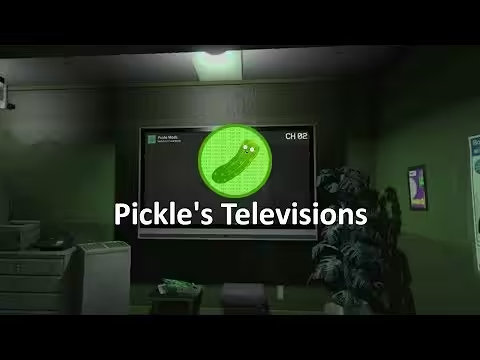
Synced FiveM TV script — plays YouTube, Twitch, and livestreams on in-game TV props with proximity audio, late-joiner sync, and multi-screen independent control. Standalone, no framework needed.
Dead TV props are a missed atmosphere opportunity. A bar with a functioning screen showing a live match or a music video creates a different social environment than an empty frame on the wall — and that’s exactly what a synced TV script provides. Every player near the screen sees the same frame at the same timestamp, hears proximity-attenuated audio, and can interact with the set without breaking anyone else’s playback.
What the Television Script Does
The script makes TV props interactive. Players walk up to a supported TV, paste in a YouTube link or stream URL, and the video loads directly on the in-game screen — synced server-side so anyone who joins mid-stream jumps to the correct playback position rather than starting from the beginning. Late joiners are handled automatically. Multiple TVs operate independently across the map, so a bar on one side of the city can be showing something different from a nightclub on the other.
The audio model is proximity-based with distance attenuation and occlusion — the sound gets quieter as players move away from the screen, and walls block it appropriately. When no players are nearby, the TV switches to an idle display and auto-stop kicks in to conserve resources. Performance is managed with a hard DUI cap per client, adaptive scanning, and per-tick batching for multi-TV environments.
Key Features
Server-synced playback — all nearby players see the same frame
YouTube support: standard links, shorts, embed URLs, and bare video IDs all accepted
Twitch and general livestream support with sync
Late-joiner sync — players join mid-stream at the correct position
Proximity audio with distance attenuation and wall occlusion
Auto-stop when no players are near — zero idle waste
Multi-TV independent playback — each screen managed separately
Configurable TV prop models with screen dimension and offset settings
Supports both ox_target and qb-target for third-eye interaction
Two rendering modes: 3D overlay (DrawSpritePoly) and texture replacement
Hard per-client DUI cap to prevent performance degradation on prop-heavy servers
Auto-looping for ambient display content
Framework and Technical Details
The television script is fully standalone — it has no framework dependency and runs alongside ESX, QBCore, or any other setup. Target system detection is automatic: the script identifies whether ox_target or qb-target is present and uses whichever is available for the interaction prompt. Adding new TV prop models requires a screen configuration block defining texture dictionary, screen dimensions in metres, local-space offset, and facing direction — straightforward for any developer familiar with FiveM prop setups.
Practical Uses on Your Server
The obvious placements are bars, clubs, and apartment interiors — anywhere players gather and ambient media improves the atmosphere. Beyond that: cinema interiors benefit from the large-screen rendering support, vehicle interiors can host screens for limousine or bus RP, and billboard props work with the same configuration system for city-scale media. Any MLO with a screen prop is a candidate for a functioning display once this script is running.
Reviews
There are no reviews yet.
Only logged in customers who have purchased this product may leave a review.
24/7 Customer Support
We have a robust team of developers and support team to resolve any issues. Please follow instructions on your email to contact support team.
More Details
This product is FULLY OPEN SOURCE which means you can edit it however you like.
Updates are provided on your email and Downloads section in 'My Account' section.
We here at Tebex are dedicated to provide you with best experience.


Reviews
There are no reviews yet.